AmbientSlider and AmbientFader
AmbientSlider and AmbientFader share the same value model and props.
Both are composed from grounded primitives: the track is an .amb-groove
recess (the lit wall casts a crisp shadow band into it, the far wall
bounces the key back — see the grounded reference)
with a lume interior that reads dark under bright light and glows as the
room dims; the thumb is an ambient amb-fillet amb-elevation-1 body.
Interactive preview
Pan: 50
Level: 72
Grounded counterparts
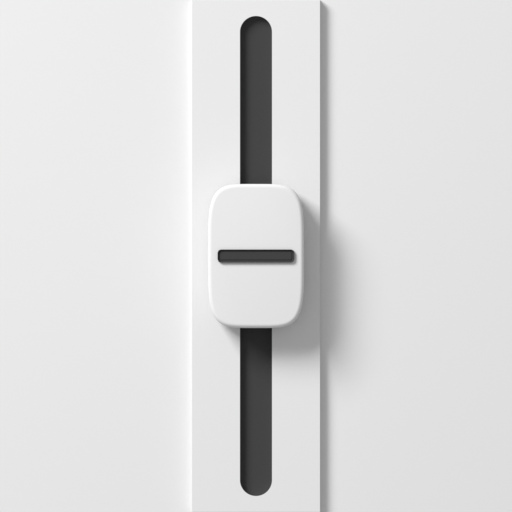
The fader's referent (ambient3d/components/fader.py) is a pill cap with
a grip line, riding a stem through a slot into a dark cavity; the
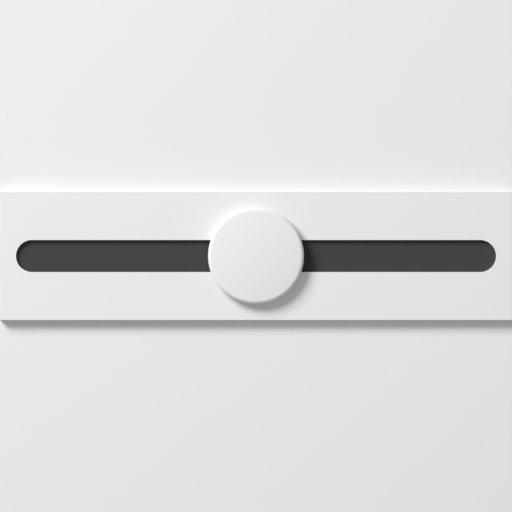
slider's (ambient3d/components/slider.py) is a domed disc gliding over
a shallow concave channel.
Shared props
| Prop | Type | Default |
|---|---|---|
value | number | - |
defaultValue | number | min |
min | number | 0 |
max | number | 100 |
step | number | 1 |
detents | number | from step |
invert | boolean | false |
animate | "auto" | "follow" | "ease" | "snap" | "auto" |
material | "matte" | "shiny" | "glass" | "brushed" | "brushed-round" | "blasted" | - |
label | string | - |
size | "sm" | "md" | "lg" | "md" |
onChange | (nextValue: number) => void | - |
Pass value for a controlled control or defaultValue for an uncontrolled
one; onChange fires either way.
Both are presets over AmbientTravel, which is one mechanism with an
orientation: a horizontal track runs min-at-the-left, an upright one runs
min-at-the-bottom, because that is how a fader is built. invert flips
either. To change how one looks, give AmbientTravel your own parts — see
Composing controls.
Example: horizontal + vertical pair
import { useState } from "react";

function MixerPair() {
  const [pan, setPan] = useState(50);
  const [level, setLevel] = useState(72);

  return (
    <>
      <AmbientSlider label="Pan" value={pan} min={0} max={100} step={1} onChange={setPan} />
      <AmbientFader label="Level" value={level} min={0} max={100} step={1} onChange={setLevel} />
    </>
  );
}
Behavior notes
- Slider maps pointer X position to value.
- Fader maps pointer Y position to value (top is higher).
- Both controls clamp and snap using
min,max, andstep.